VursorTalk to an expert

Finance field guide: Getting value from NetSuite Next

AI in NetSuite

Where to start. How far to go. And when to ask a human.

Your finance team knows things your ERP doesn't. They spot the margin report missing a cost and the clean invoice worth a second look. AI inherits all of it, the strong foundations and the gaps. This guide shows you where to start so your first AI test pays off.

Download Vursor’s 20-page field guide to choose your first AI workflow in NetSuite, with worked examples and a practical planning worksheet.

Complete the form to get your copy.
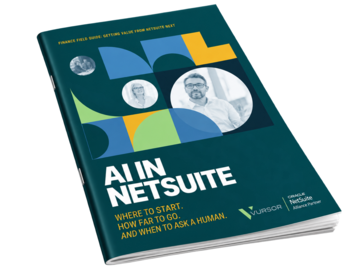
AI in NetSuite ebook mockup

Download the ebook

Four places to start in your finance workflow

Reliable reporting

Get trusted numbers to the business sooner. AI drafts explanations for account movements with the source transactions in reach, so finance verifies before anyone acts.

Payables

Spend less time handling invoices and stay in control of payments. AI gathers records, suggests coding, and flags missing evidence. Your team still approves, posts, and releases cash. 

Margin visibility

See margin pressure while you still have time to act. Give AI a margin definition you trust, and it puts the evidence in front of managers before a contract renews or a rate gets locked. 

Channel reconciliation

Handle more sales with less reconciliation work. AI groups settlement differences and suggests explanations. Every open difference gets an owner and a deadline. 

Getting started with AI in NetSuite

What will I take away?

You'll leave with a clear first move. The guide covers four finance workflows, shows what to measure in a first test, and includes a worksheet for scope, records, AI authority, ownership, and the evidence you'll use to expand, fix, or stop.

Do we need a new ERP or a reimplementation to use AI?

No. Oracle's NetSuite Next rollout carries forward your existing data, roles, permissions, customizations, and workflows. AI works inside the system you already run. The real question is whether those foundations are ready for the work you want AI to do. Feature availability depends on your licensing and configuration, so confirm with your NetSuite administrator or Vursor.

How do I know if our NetSuite setup is ready?

Pick one report, invoice category, or sales channel and trace it back to source. If your team follows the trail without rebuilding it by hand, you're ready to test. Where the trail breaks, fix the integration or process first. PCS Technical Services estimated a 60% time saving in month-end reporting from foundation work, before any AI.

Where should we start?

Start with one recurring decision that costs too much time or arrives too late to help. Pick a problem with a real cost, accessible records, and an owner ready to act on the result. Keep the scope small enough to evaluate and valuable enough to justify the effort.

Will AI approve invoices or post entries on its own?

Not in your first test. Treat AI like a new hire on probation. It assembles records, suggests coding, and drafts explanations. Authorized people approve, post, and release payment. You widen its authority once the results earn it.

How do we know if it's working?

Set a review date before you start. Measure total effort, including the time people spend checking AI's output. Track timeliness, accuracy, and whether the finding led to a decision. Then expand, fix, or stop.

Pick one workflow. Onboard AI. Prove the value.

AI in NetSuite now does real work, not only reporting. Treat it like a new hire. Give it one job, the right records, clear limits, and someone who checks its work. This field guide shows you where to start in the NetSuite you already run, with client results, worked examples, and a planning worksheet.

Download the ebook

AI in NetSuite Guide Mockup

Make your next NetSuite investment count

 Vursor helps complex service businesses design the workflows people and AI share, then implements the systems behind them. One team stays with you from start to finish.

Talk to a NetSuite expert

Winter 2026 Spotlight Award Winner